Link in bio
Sell from your bio. Get paid on the spot.
Put your SnapCart shop link in your Instagram bio, the way people use a Linktree. Followers tap a photo and pay on their phone, wherever they are. You see each order arrive live, and your stock counts itself down.
From a post to a sale
 You
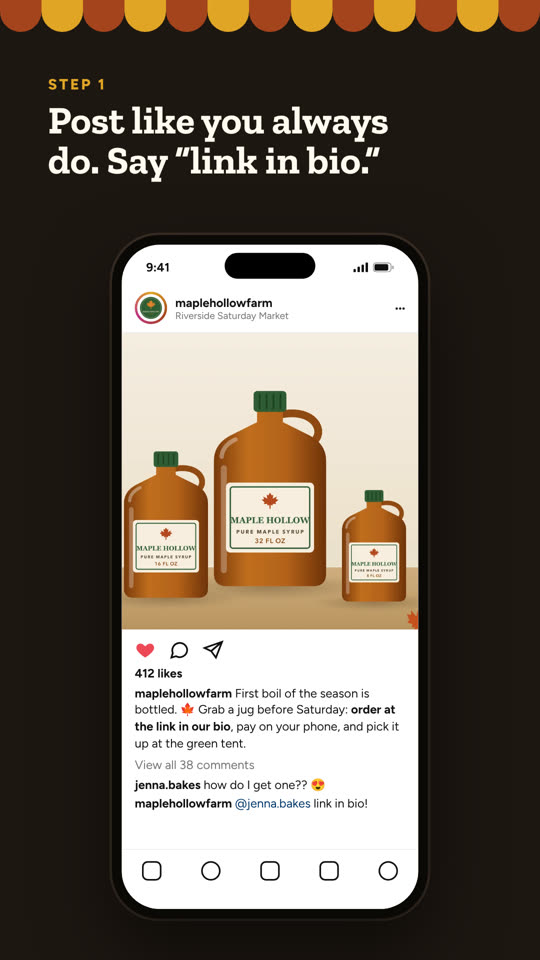
You1. Post like always and say “link in bio”
Tell followers to order from the link in your bio. Comments asking “how do I buy?” get the same answer.
 Follower
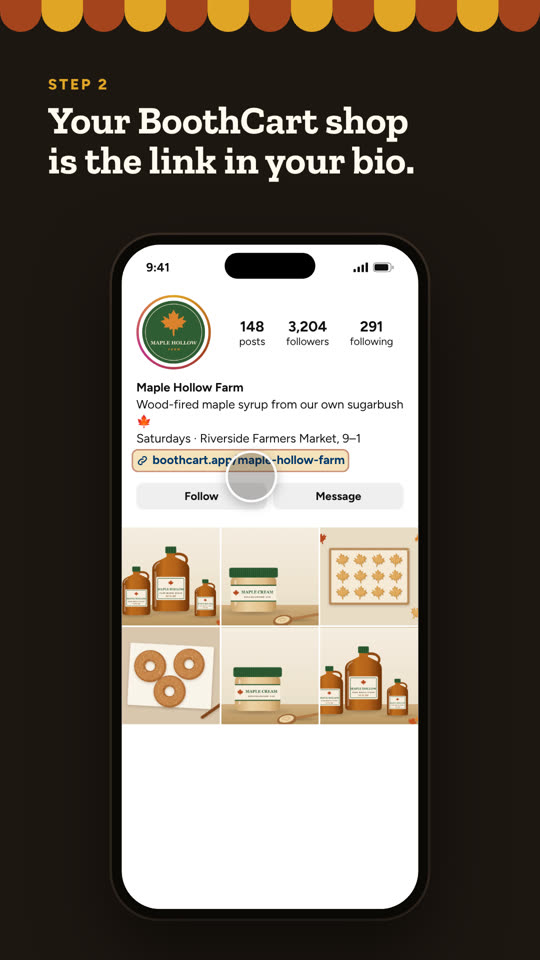
2. Taps the shop link in your bio
One clean shop that works on any phone. No app to download, no account to make.
 Follower
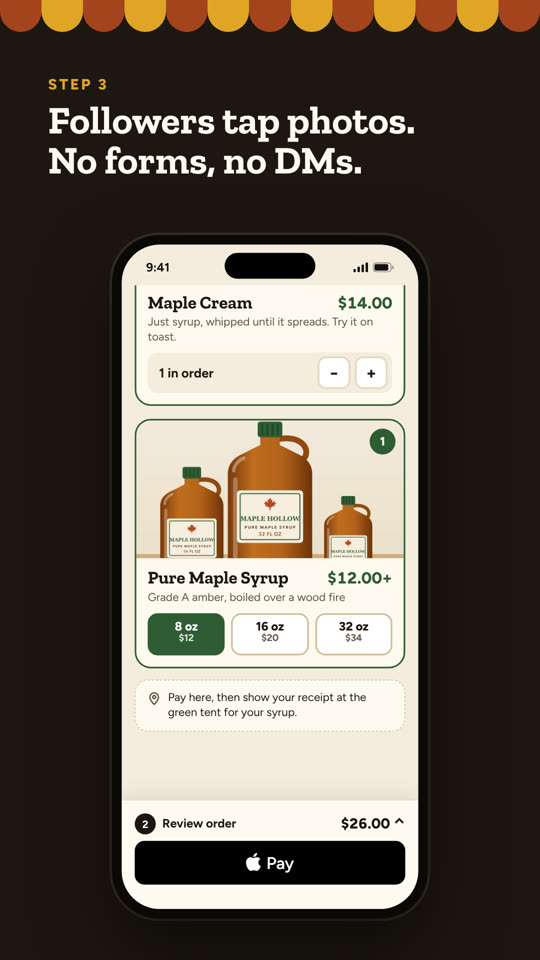
3. Taps photos to build an order
No account, no form to fill in. Sizes are chips, and the total sits right above the pay button.
 Follower
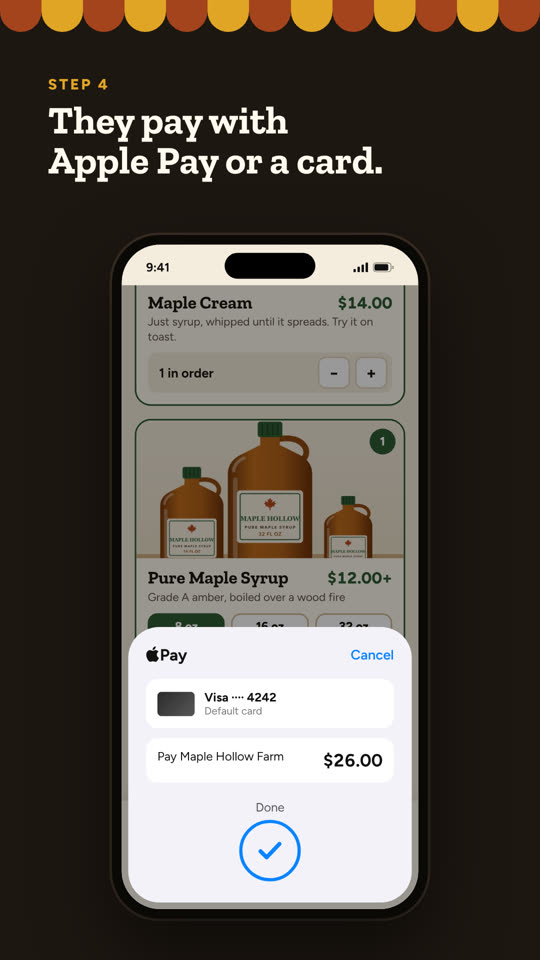
4. Pays on their phone
Apple Pay or a card, or Venmo, PayPal or Cash App. Stock is held the moment checkout starts, so two followers can’t buy the last jar.
 Follower
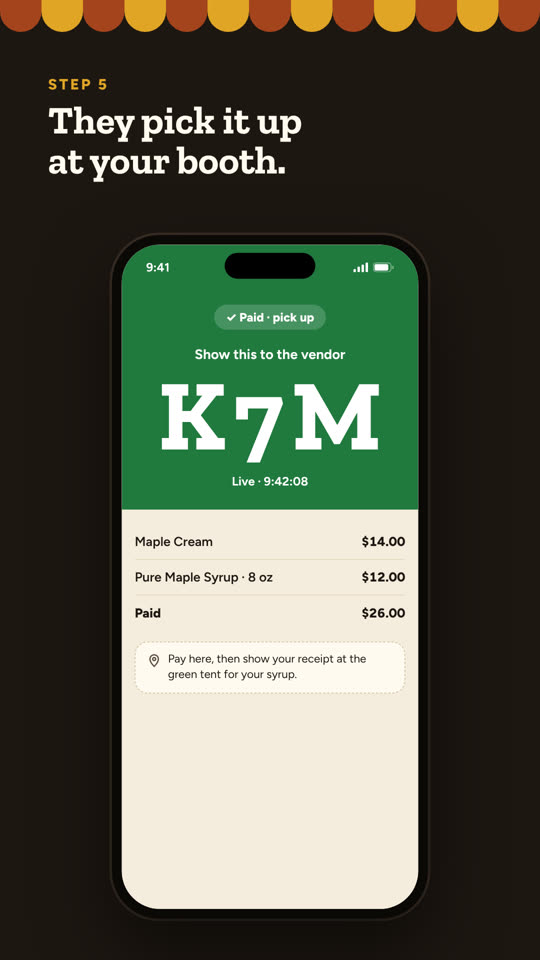
5. Gets a receipt and order code
The paid screen shows their order and your note about how they’ll get it: pickup, drop-off, or however you arrange it.
 You
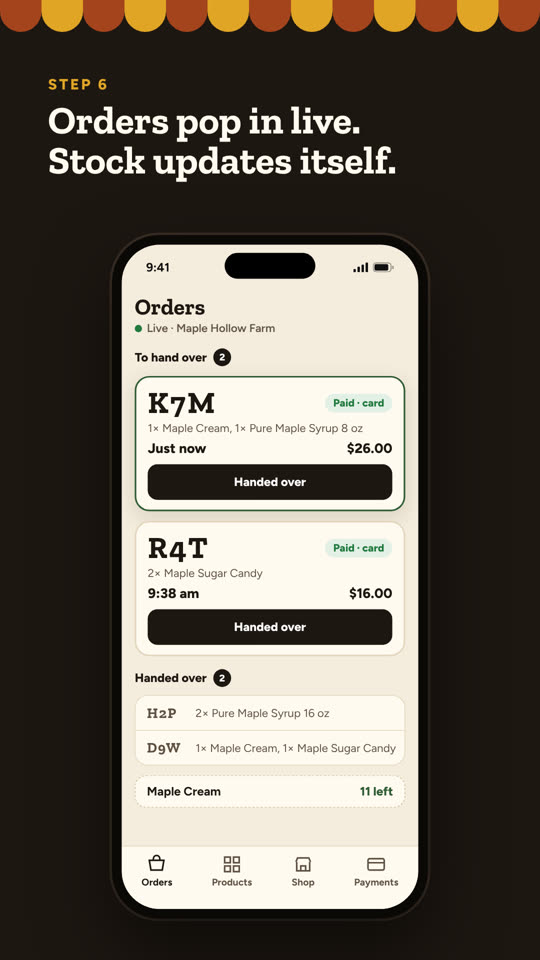
You6. See the order arrive live
It pops up on your phone with what they bought, and your stock count goes down on its own.
Set it up in five minutes
- 1
Create your shop
Snap your products, or scan your whole table in one photo. Takes a few minutes.
- 2
Copy your shop link
Dashboard → Shop → Shop link. It looks like snapcart.app/your-shop.
- 3
Add it to your Instagram bio
In Instagram: Edit profile → Links → Add external link. Paste it and title it “Order here”.
- 4
Say how buyers get their order
Dashboard → Shop → Pickup note. For example: “Pick up at our stand on Saturdays, or we’ll drop it off in town.” Buyers see it when they pay.
- 5
Post and point to it
Say “link in bio” in your captions, and add a link sticker to your Stories.
Good to know
Your followers, anywhere
Anyone with the link can buy, whether or not they ever visit your table. Your note tells them how they’ll get their order.
Free ways to get paid
Venmo, PayPal, Cash App and cash cost nothing; you confirm those orders when the money shows up. Apple Pay and cards come with Silver.
One shop for everything
The link in your bio, the QR on your table and the one you text to regulars are the same shop, with the same stock.
Your bio link, ready in minutes.
Free to start, unlimited products, no website to build.
Create your free shop