QR code payments
QR code payments with the order attached.
Most QR payment codes open an amount box: the customer types a number and you hope it’s right. A SnapCart QR opens your products instead. Customers tap what they want, pay, and you get the order with every item on it.
What you get
One code, every product
Print it once. Change prices, add items or mark things sold out without reprinting.
Every way to pay
Apple Pay, cards, Venmo, PayPal, Cash App and cash, from the same code.
A record of what sold
Each payment is an order with items, sizes and an order code, so the end-of-day count is already done.
Stock that keeps up
Counts go down as orders come in, across the table and online.
No app for customers
Any phone camera opens the code. Nothing to download, no account to create.
Ready in minutes
Snap your products, check the prices, and print the sign.
See it on a phone
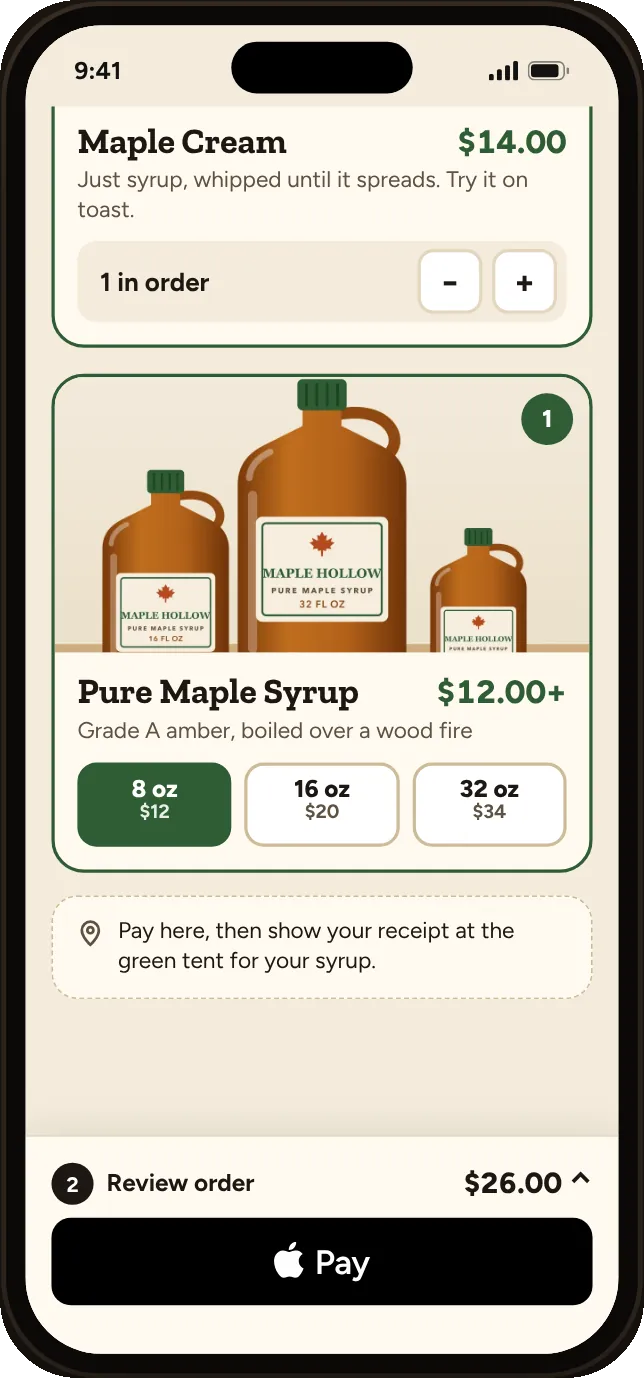
The QR opens your products, not just an amount box.
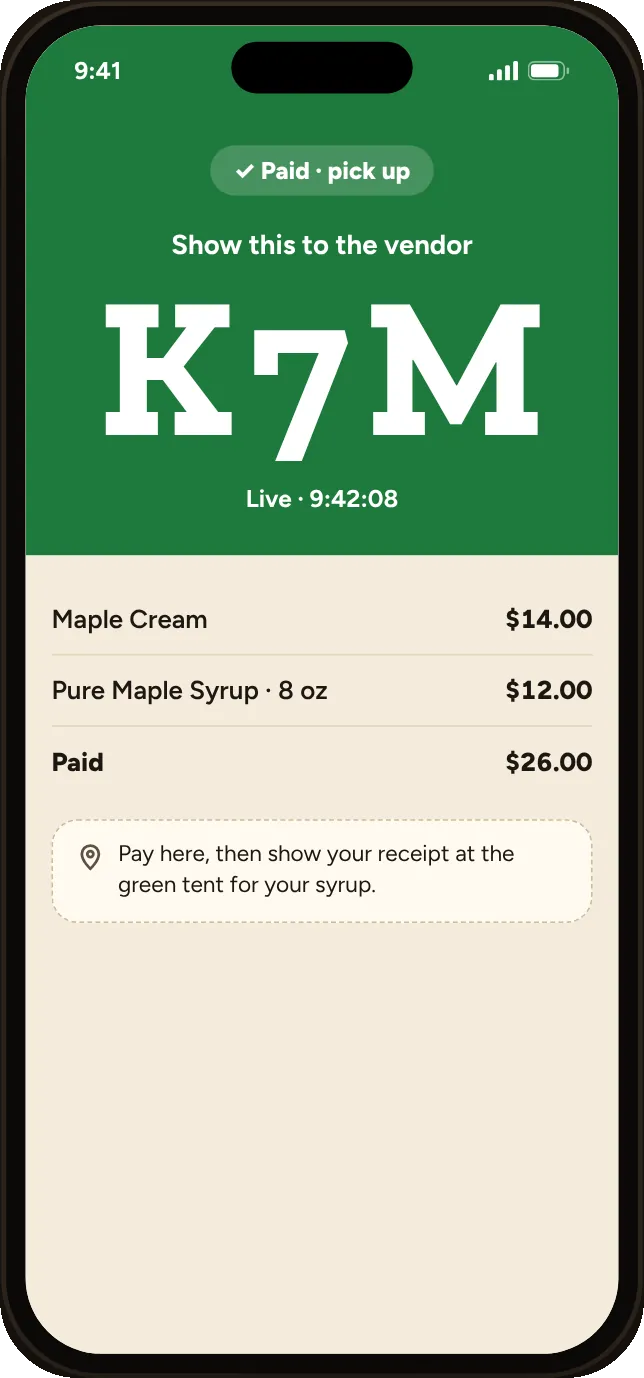
Each payment comes with an order code and a receipt.
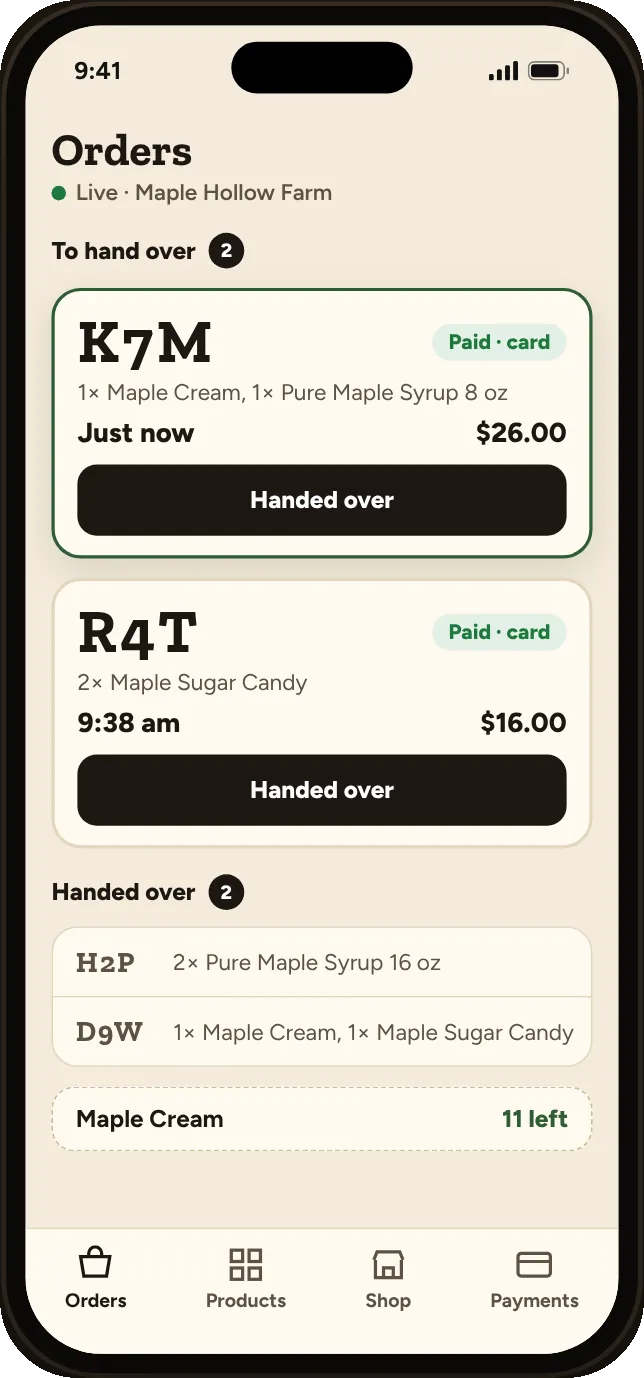
You see what was bought, not just “$26 from Sam.”
SnapCart or A plain payment QR?
| Feature | SnapCart | A plain payment QR |
|---|---|---|
| What the customer sees | Your products with photos | An amount box |
| Record of what was bought | Yes, every item | No, just the amount |
| Stock counts | Yes | No |
| Cards and Venmo from one code | Yes | Usually one method per code |
| Mistyped amounts | Not possible | Common |