SnapCart

Selling on Facebook

Sell in Facebook groups without the back-and-forth.

Selling in local Facebook groups means dozens of “is this still available?” messages, holds that never show, and payments you chase. Post one link instead: buyers see what’s left, pick it, and pay.

What you get

  • One link for every post

    Share your shop in groups, on Marketplace listings and on your page. It always shows what’s still available.

  • Sold means sold

    When something’s gone, it shows sold out, so no more “still available?” messages.

  • Paid before pickup

    Buyers pay with Apple Pay, cards, Venmo, PayPal, Cash App and cash when they order. No holds, no no-shows.

  • Pickup or drop-off

    Write your pickup spot, or offer free delivery to the zip codes near you.

  • Listings from one photo

    Lay everything out, take one photo, and each item becomes a listing to check.

  • Orders come to you

    New orders show up on your phone with the buyer’s name and a pickup code.

See it on a phone
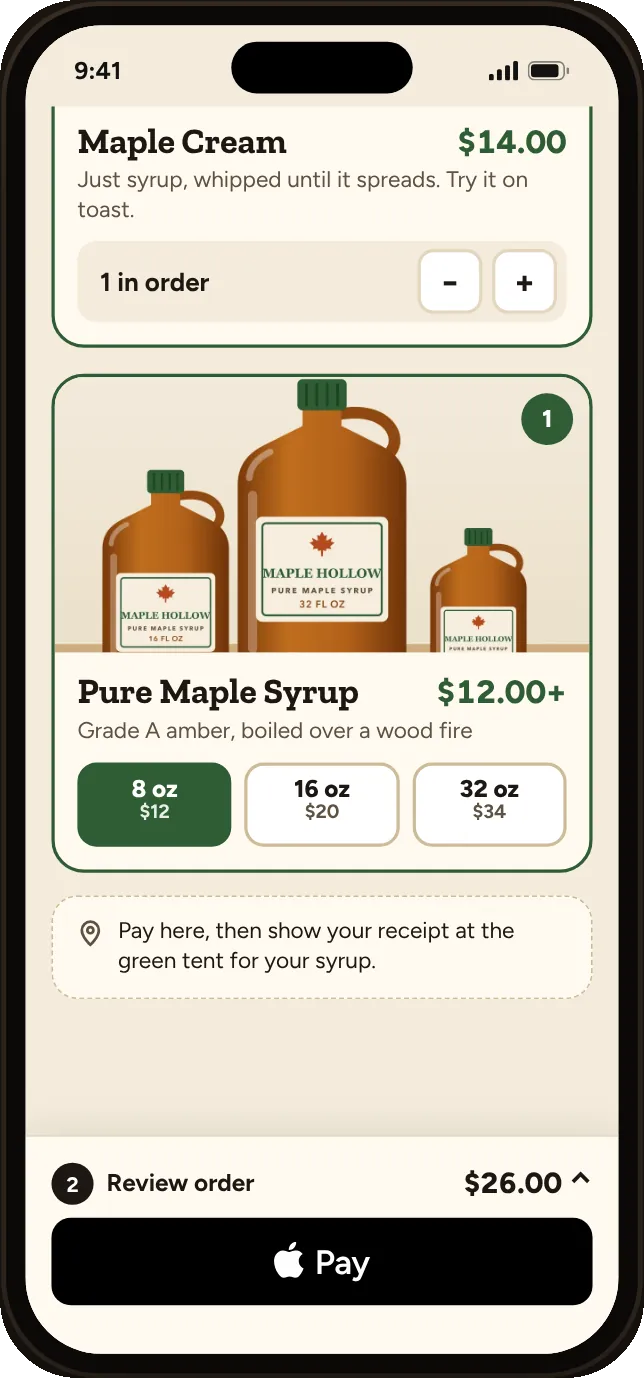
  • A shopper’s phone on a shop page: maple syrup in three sizes, one item in the order and an Apple Pay button

    Buyers open your link from the post and pick what they want.
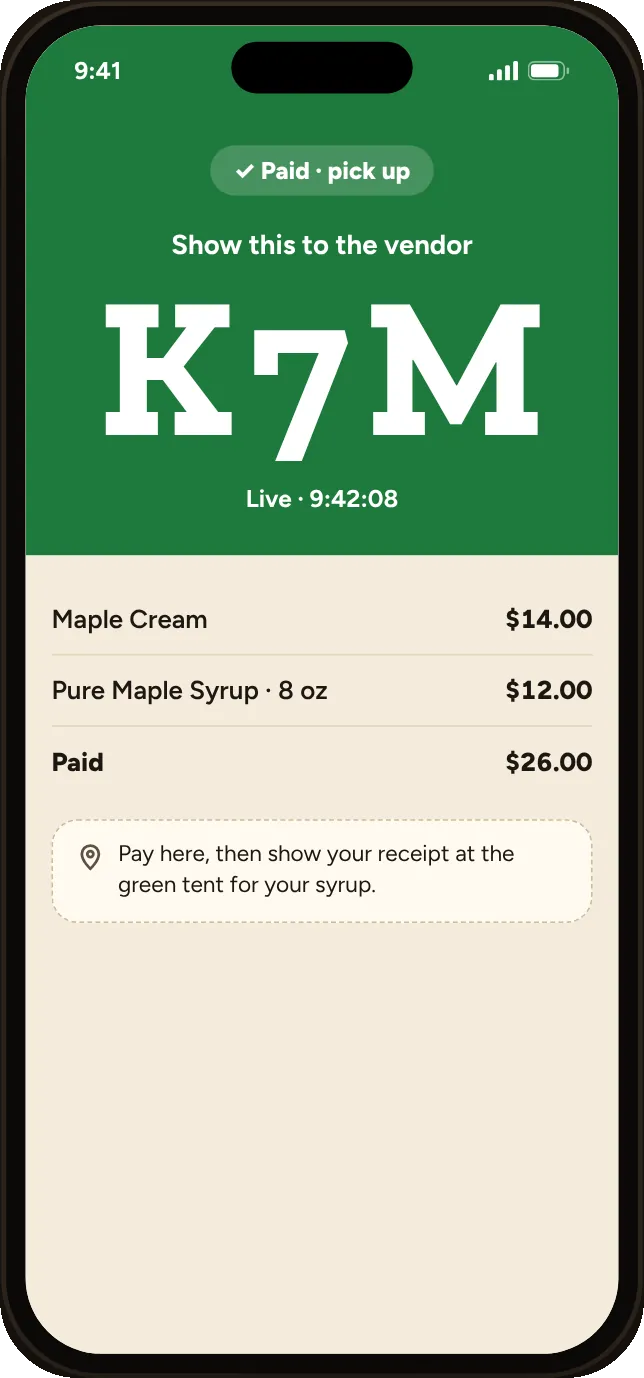
  • The shopper’s paid screen with the big order code K7M to show the vendor

    They pay right away, no back-and-forth.
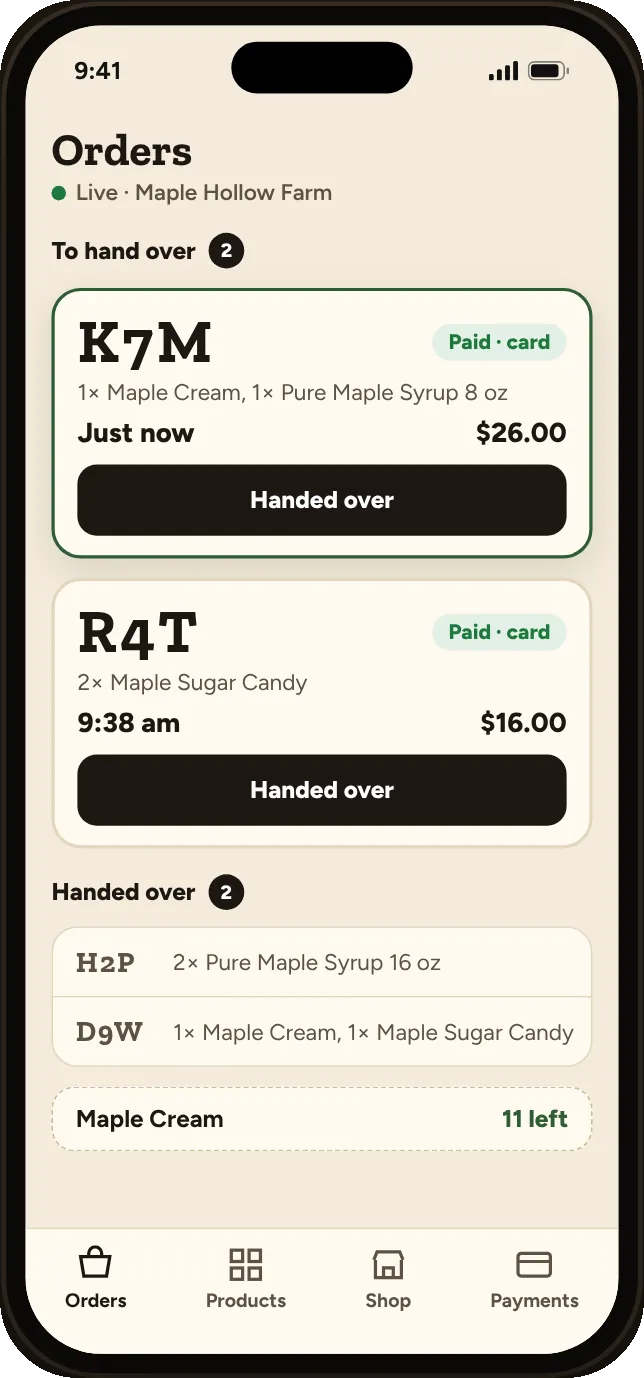
  • The vendor’s live order list: two paid orders to hand over and 11 maple creams left

    Orders and what’s left, on your phone.

Questions

What does it cost?
Free to start: no monthly fee, unlimited products, and Venmo, PayPal, Cash App and cash with no SnapCart fee. Apple Pay and cards come with the Silver plan at Stripe’s fee plus 2%, only when you sell.
Is this allowed in Facebook groups?
Each group sets its own rules on links. Most buy-and-sell groups allow them; check the group rules before posting.
Does it work with Facebook Marketplace?
You can put the link in your Marketplace listing description or send it when a buyer messages you.
Can I use it for a one-time sale, like a moving sale?
Yes. Set up the items, share the link, and unpublish the shop when everything’s gone.

Stop answering “is this still available?”

Make your shop link