Preorders
Take preorders without a spreadsheet.
Preorders by DM, text and Google Form end up in five places and never add up. A preorder page collects every order, takes payment up front, and stops at the number you can make.
What you get
Cap each batch
Set 40 loaves or 12 wreaths. When they’re claimed, the page shows sold out.
Paid up front
Customers pay when they order, with Apple Pay, cards, Venmo, PayPal, Cash App and cash. No-shows don’t cost you the batch.
A code for every pickup
Each order gets a short code and a receipt. At pickup, match the code and hand it over.
Open and close on your schedule
Publish the page when preorders open; turn items off when the cutoff passes.
Pickup, delivery or shipping
Write where and when to pick up, offer free local delivery by zip code, or ship.
Your prep list, done
See exactly how many of each item to make, by size and flavor.
See it on a phone
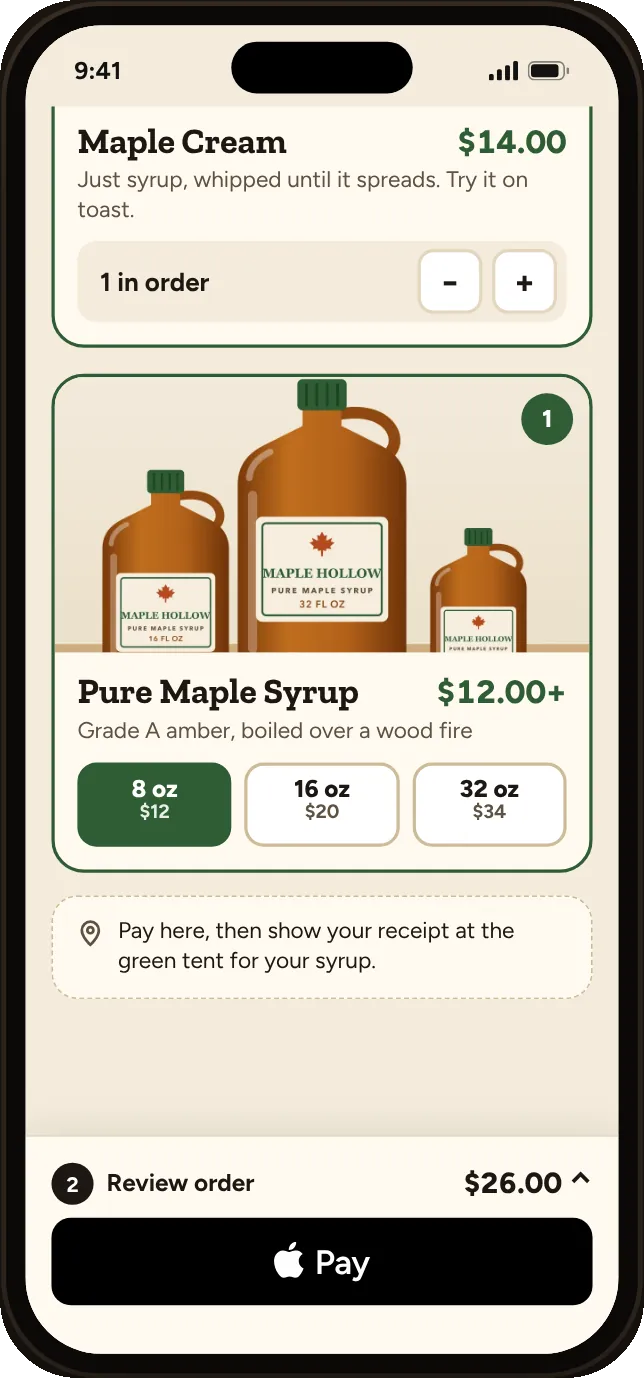
Customers pick what they want from your preorder page.
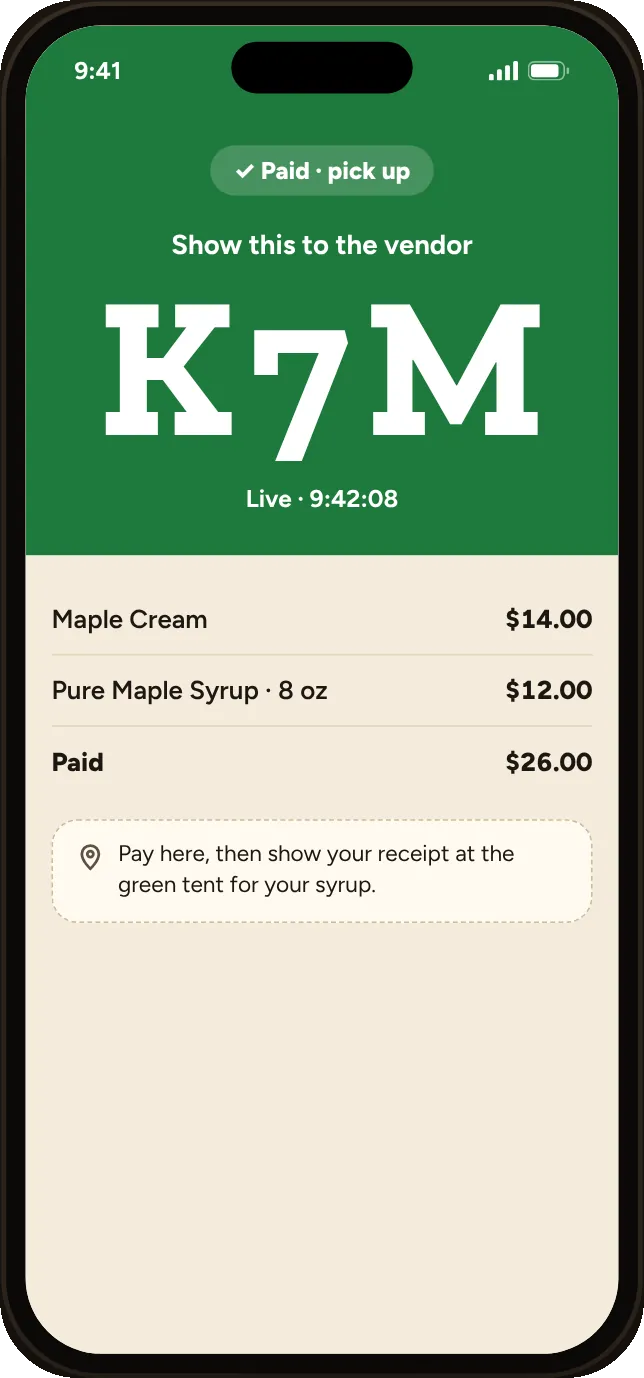
Paid ahead, with a code for pickup.
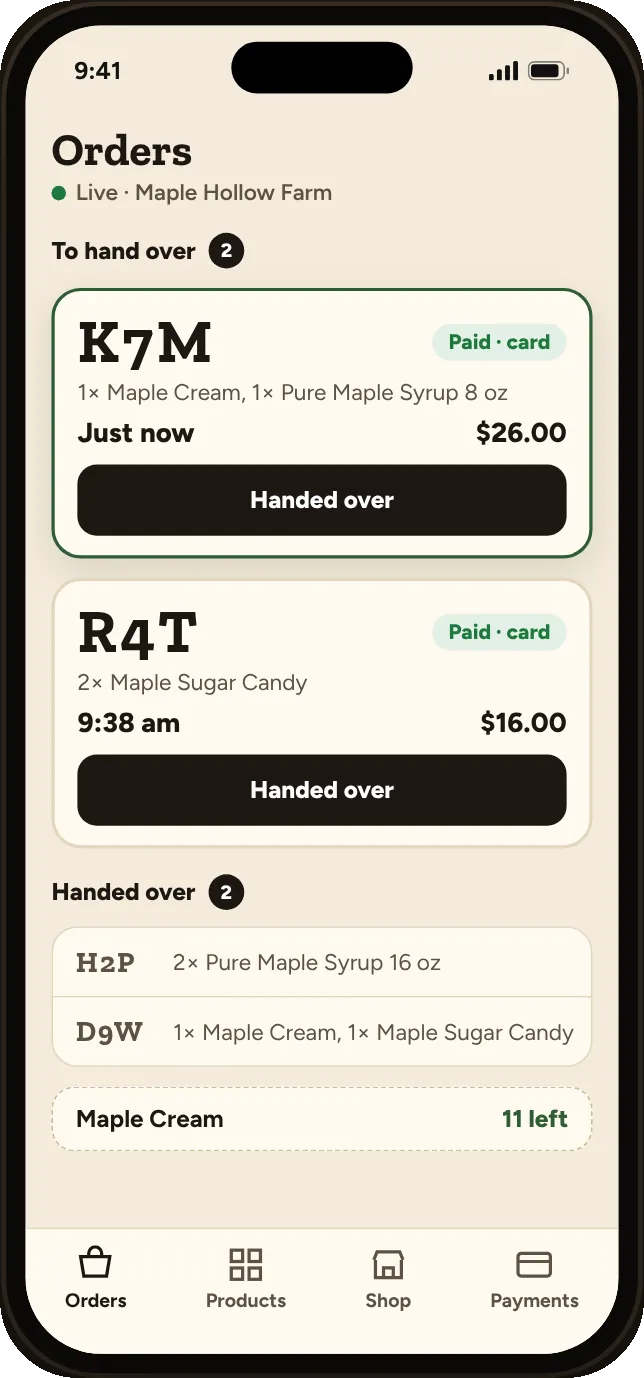
Your prep list, with how many of each are left.
How it works
- Step 1
Add what’s on offer
Snap a photo or add items with a price and how many you can make.
- Step 2
Share the link
Post it to Instagram, Facebook or your email list when preorders open.
- Step 3
Make and hand over
Bake, pack and match codes at pickup.